RBAC Patterns for Minimal Exposure

Introduction
The default ServiceAccount in a namespace can do nothing. The cluster-admin ClusterRole can do everything. Between those two extremes lies the art of RBAC design: giving a controller exactly what it needs, no more, no less.
The Cluster Hardening domain tests your ability to harden a running cluster against unauthorized access. RBAC is the primary mechanism — every API request is evaluated against Roles and ClusterRoles. The exam doesn't just ask you to create a Role; it asks you to audit existing permissions, identify over-privilege, and restructure with minimal exposure.
The exam gives you a running cluster with over-privileged bindings and asks you to fix them. That requires reading existing RBAC like an auditor: what does this Role actually grant, which subjects have it, and where does the blast radius extend?
The Permission Model: Rules, Not Policies
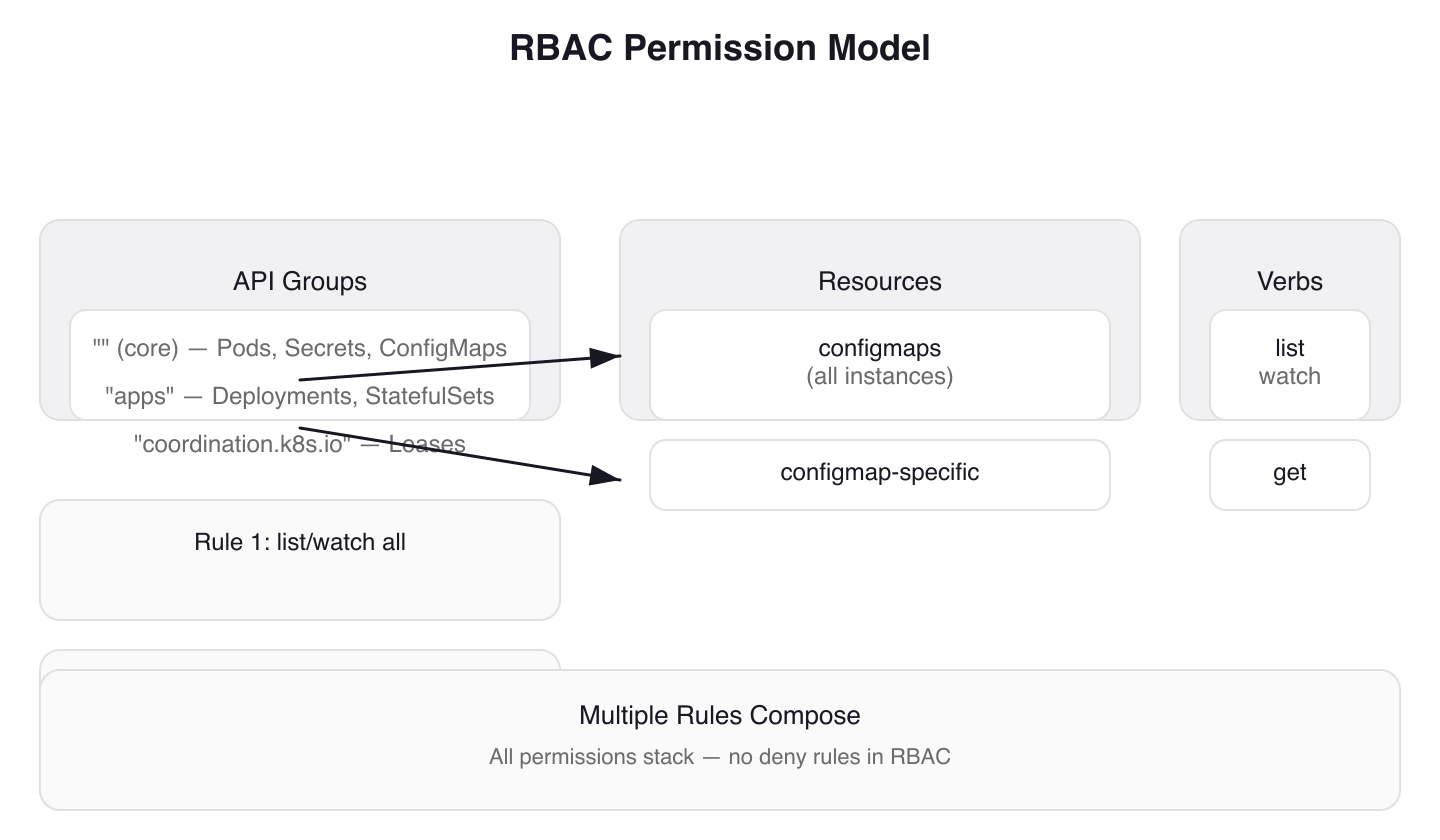 Figure 1: The RBAC Permission Model — permissions are additive rules composed from apiGroups, resources, and verbs. No deny rules exist; all granted permissions stack.
RBAC permissions are purely additive. A Role with no rules grants nothing. Multiple rules entries compose — all permissions stack. There are no deny rules in RBAC.
Every rule requires apiGroups + resources + verbs. The empty string "" is the core API group (Pods, Secrets, ConfigMaps), while resources like Deployments live in "apps". A mismatched apiGroup produces a cryptic forbidden error that never mentions the apiGroup is wrong — a common exam time-waster.
Multiple Rules in One Role
Roles can contain multiple rules, each targeting different resources or capabilities. Tekton Pipelines demonstrates this pattern with four separate Roles in one manifest. Each Role serves a specific capability: controller logic, webhook validation, events handling, and leader election.
# tekton-pipelines/config/controller-role.yaml
kind: Role
apiVersion: rbac.authorization.k8s.io/v1
metadata:
  name: tekton-pipelines-controller
  namespace: tekton-pipelines
  labels:
    app.kubernetes.io/component: controller
    # ... trimmed labels: app.kubernetes.io/instance, app.kubernetes.io/part-of
rules:
  - apiGroups: [""]
    resources: ["configmaps"]
    verbs: ["list", "watch"]
  - apiGroups: [""]
    resources: ["configmaps"]
    verbs: ["get"]
    resourceNames: ["config-logging", "config-observability", "feature-flags", "config-leader-election-controller", "config-registry-cert"]
    # ... trimmed comment explaining ConfigMap usage
The first rule grants broad visibility: list and watch all ConfigMaps. The second rule narrows access: get only five specific ConfigMaps by name using resourceNames.
# tekton-pipelines/config/leader-election-role.yaml
kind: Role
apiVersion: rbac.authorization.k8s.io/v1
metadata:
  name: tekton-pipelines-leader-election
  namespace: tekton-pipelines
  labels:
    # ... trimmed labels: app.kubernetes.io/instance, app.kubernetes.io/part-of
rules:
  # We uses leases for leaderelection
  - apiGroups: ["coordination.k8s.io"]
    resources: ["leases"]
    verbs: ["get", "list", "create", "update", "delete", "patch", "watch"]
Leader election uses the coordination.k8s.io API group for Lease objects. The rule grants full CRUD access to leases — leader election requires create, update, and delete because the controller must acquire, renew, and release leases.
Constraining Access with resourceNames
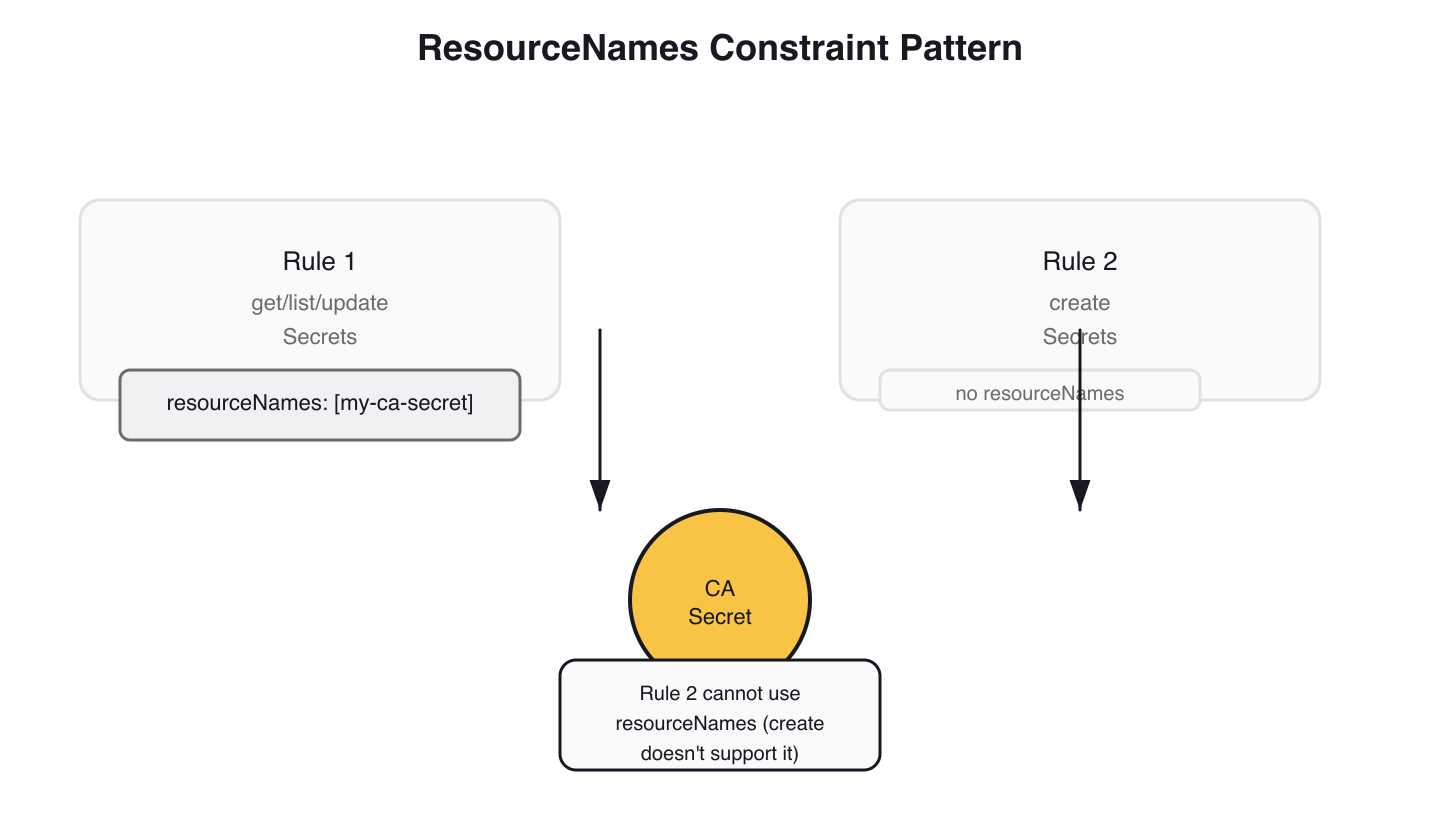 Figure 2: ResourceNames Constraint Pattern — use resourceNames to restrict access to specific objects by name, but split create permissions since they cannot be constrained to known names.
Wildcards (*) for resources or verbs are dangerous — they grant access to all current and future resources in an API group. Avoid them. Instead, constrain access to specific objects with resourceNames.
The cert-manager webhook demonstrates the resourceNames split. The webhook needs to update a specific Secret but must also create new Secrets:
# cert-manager/webhook-rbac.yaml
rules:
  - apiGroups: [""]
    resources: ["secrets"]
    resourceNames:
    - '{{ template "webhook.fullname" . }}-ca'
    # ... conditional: metrics TLS Secret added when dynamic TLS is enabled
    verbs: ["get", "list", "watch", "update"]
  # It's not possible to grant CREATE permission on a single resourceName.
  - apiGroups: [""]
    resources: ["secrets"]
    verbs: ["create"]
The first rule constrains get/list/watch/update to named Secrets only. The second rule grants create on all Secrets — RBAC cannot restrict create to specific resourceNames because the object's name is unknown at authorization time. Two rules, one constrained, one broad. This pattern appears wherever a controller needs to both manage existing resources and create new ones.
Creating Roles: Imperative and Declarative
Imperative Creation
The kubectl create role command is exam-critical for speed. Combine --resource-name with --dry-run=client -o yaml to generate constrained Roles quickly:
kubectl create role configmap-reader \
  --verb=get --verb=update \
  --resource=configmaps \
  --resource-name=my-config --resource-name=another-config \
  --namespace=production \
  --dry-run=client -o yaml
This generates a Role YAML with resourceNames constraints — review it, then apply with kubectl apply -f.
Declarative Manifests
The Tekton webhook Role from the same manifest file combines three access patterns — broad visibility, resourceNames constraints, and Secrets management:
# tekton-pipelines/config/webhook-role.yaml
kind: Role
apiVersion: rbac.authorization.k8s.io/v1
metadata:
  name: tekton-pipelines-webhook
  namespace: tekton-pipelines
  labels:
    app.kubernetes.io/component: webhook
    # ... trimmed labels: app.kubernetes.io/instance, app.kubernetes.io/part-of
rules:
  - apiGroups: [""]
    resources: ["configmaps"]
    verbs: ["list", "watch"]
  # The webhook needs access to these configmaps for logging information.
  - apiGroups: [""]
    resources: ["configmaps"]
    verbs: ["get"]
    resourceNames: ["config-logging", "config-observability", "config-leader-election-webhook", "feature-flags"]
  - apiGroups: [""]
    resources: ["secrets"]
    verbs: ["list", "watch"]
  # The webhook daemon makes a reconciliation loop on webhook-certs.
  - apiGroups: [""]
    resources: ["secrets"]
    verbs: ["get", "update"]
    resourceNames: ["webhook-certs"]
Four rules, each narrowly scoped. ConfigMaps get the same list/watch + resourceNames pattern as the controller. Secrets access is split: list/watch for discovery, then get/update constrained to a single Secret by name. No wildcard verbs, no unnecessary access.
Apply RBAC manifests idempotently with kubectl auth reconcile. This creates missing objects and updates existing ones:
kubectl auth reconcile -f my-rbac-rules.yaml
To test the changes before applying, use dry-run:
kubectl auth reconcile -f my-rbac-rules.yaml --dry-run=client -o yaml
RoleBindings: Wiring Subjects to Roles
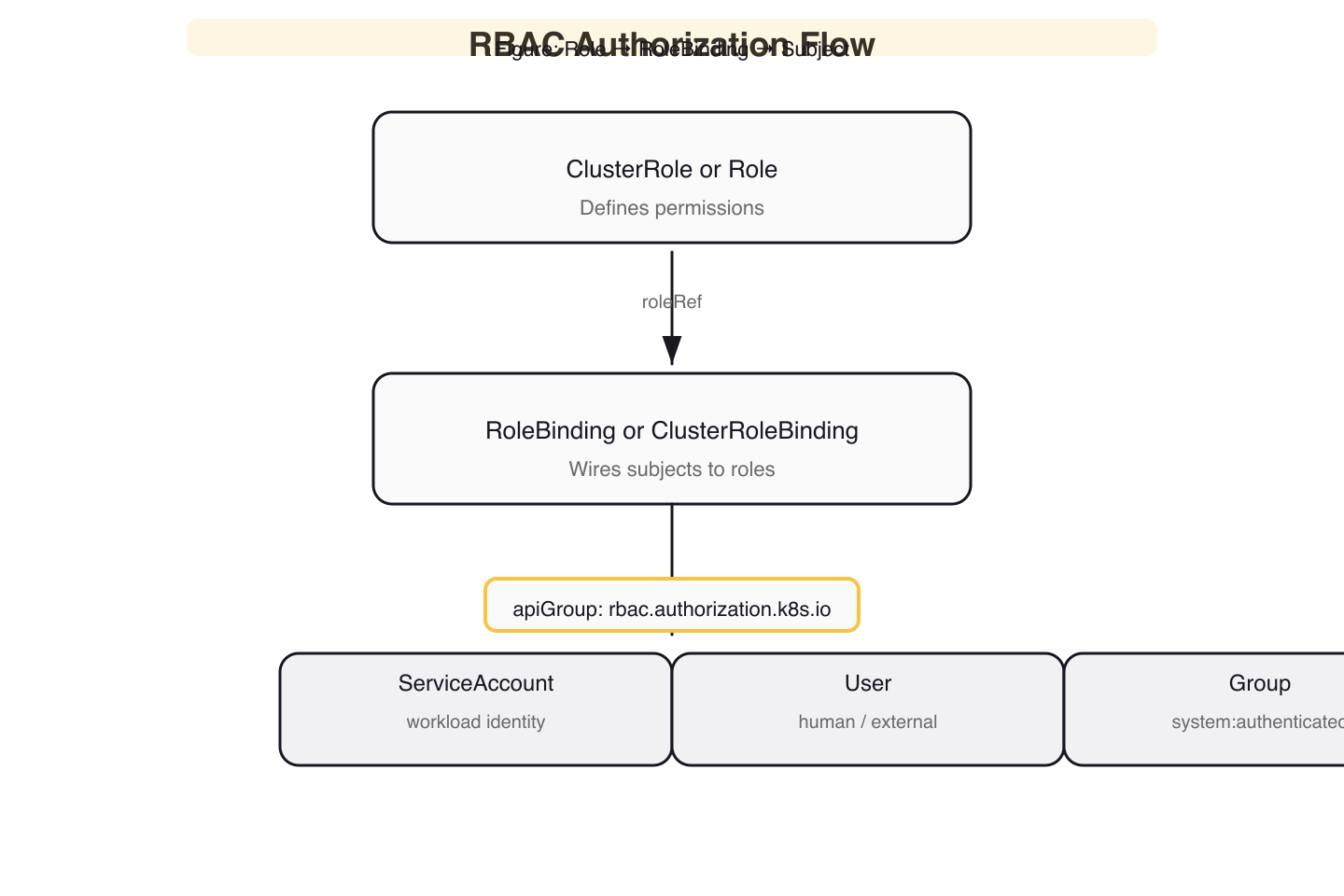 Figure 3: RBAC Authorization Flow — a RoleBinding connects subjects (ServiceAccount, User, or Group) to a Role via roleRef, granting namespace-scoped or cluster-wide permissions.
A RoleBinding grants a Role's permissions to subjects. The roleRef is immutable — you cannot change the role a RoleBinding points to after creation. You must delete and recreate to change it.
Subject Kinds in Practice
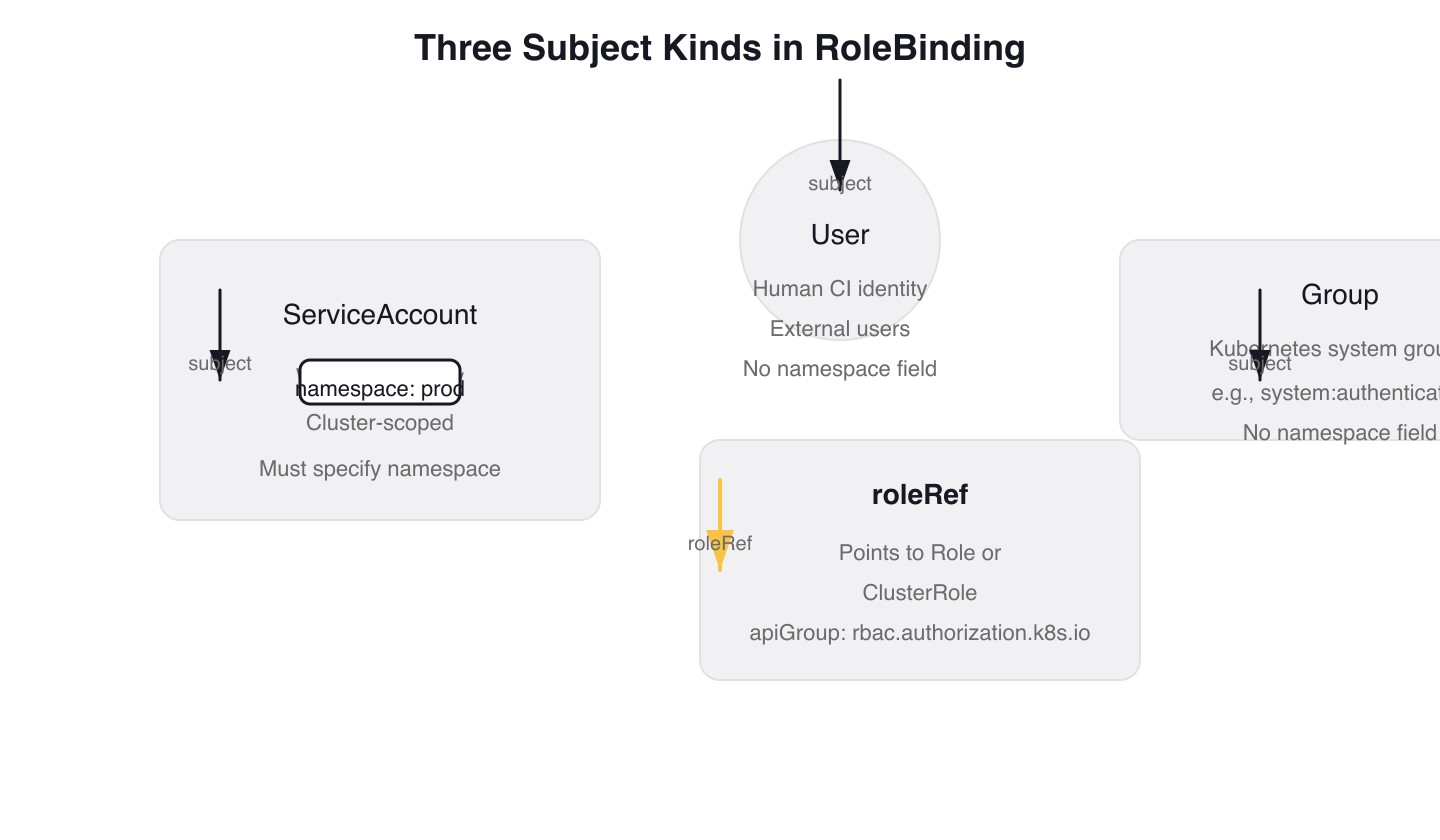 Figure 4: Three Subject Kinds in RoleBinding — each binding can reference ServiceAccount (namespace-scoped), User (global identity), or Group (Kubernetes system groups like system:authenticated).
Tekton's RoleBindings demonstrate two of the three subject kinds. The controller binding uses a ServiceAccount subject with an explicit namespace:
# tekton-pipelines/config/controller-rolebinding.yaml
apiVersion: rbac.authorization.k8s.io/v1
kind: RoleBinding
metadata:
  name: tekton-pipelines-controller
  namespace: tekton-pipelines
  labels:
    # ... trimmed labels: app.kubernetes.io/component, app.kubernetes.io/instance, app.kubernetes.io/part-of
subjects:
  - kind: ServiceAccount
    name: tekton-pipelines-controller
    namespace: tekton-pipelines
roleRef:
  kind: Role
  name: tekton-pipelines-controller
  apiGroup: rbac.authorization.k8s.io
The pipelines-info binding uses a Group subject to grant all authenticated users read access to a version info ConfigMap:
# tekton-pipelines/config/info-rolebinding.yaml
apiVersion: rbac.authorization.k8s.io/v1
kind: RoleBinding
metadata:
  name: tekton-pipelines-info
  namespace: tekton-pipelines
  labels:
    # ... trimmed labels: app.kubernetes.io/instance, app.kubernetes.io/part-of
subjects:
    # Giving all system:authenticated users the access of the
    # ConfigMap which contains version information.
  - kind: Group
    name: system:authenticated
    apiGroup: rbac.authorization.k8s.io
roleRef:
  apiGroup: rbac.authorization.k8s.io
  kind: Role
  name: tekton-pipelines-info
The Group subject system:authenticated includes every user who has passed authentication. This is the broadest possible audience — use it only for genuinely public data like version info. The third subject kind, User, targets individual human or CI identities via kind: User with apiGroup: rbac.authorization.k8s.io.
The Namespace Footgun
The namespace field in subjects is required for ServiceAccount subjects. Omit it and the RBAC evaluator silently fails to resolve the ServiceAccount — kubectl auth can-i returns no with no hint that a missing namespace is the cause.
# WRONG — missing namespace field
subjects:
  - kind: ServiceAccount
    name: my-app
    # namespace: production  # Required for ServiceAccount subjects!
roleRef:
  kind: Role
  name: pod-reader
Notice how the Tekton controller RoleBinding above always includes namespace: tekton-pipelines on ServiceAccount subjects. This is not optional boilerplate — it is functionally required.
RoleBinding vs ClusterRoleBinding
A RoleBinding can reference a ClusterRole instead of a Role. The ClusterRole's permissions are then scoped to the RoleBinding's namespace. This lets you define common roles cluster-wide and grant them per-namespace:
kubectl create rolebinding view-binding \
  --clusterrole=view \
  --serviceaccount=production:monitoring \
  --namespace=production
This grants the built-in view ClusterRole (read-only access) to the monitoring ServiceAccount, but only within the production namespace. The same ClusterRole can be bound in other namespaces without duplication.
Verifying Permissions with kubectl auth can-i
The CKS exam relies on kubectl auth can-i for verification. Without --as, you test your own permissions. With --as, you test a specific identity — this is the critical distinction for auditing.
Impersonation Testing
# Tests YOUR permissions (cluster-admin will always say yes)
kubectl auth can-i get secrets -n staging

# Tests the ServiceAccount's permissions — this is what you need
kubectl auth can-i get secrets --as=system:serviceaccount:staging:my-app -n staging
The --as format for ServiceAccounts is system:serviceaccount:NAMESPACE:NAME. Getting the format wrong silently tests the wrong identity.
Listing All Permissions
kubectl auth can-i --list --as=system:serviceaccount:staging:my-app --namespace=staging
This dumps every resource/verb pair the ServiceAccount can access. Use it to audit whether a binding grants more than intended.
Verification Sequence
The exam workflow: create the Role and RoleBinding imperatively, then verify with can-i:
kubectl create role pod-reader --verb=get --verb=list --verb=watch --resource=pods --namespace=staging
kubectl create rolebinding pod-reader-binding \
  --role=pod-reader \
  --serviceaccount=staging:my-app \
  --namespace=staging

# Verify — exit code 0 means allowed, 1 means denied
kubectl auth can-i list pods --as=system:serviceaccount:staging:my-app -n staging
Gotchas and Lessons Learned
roleRef is Immutable
You cannot change the role a RoleBinding points to after creation. If you try to update roleRef, kubectl apply will fail with a conflict error. You must delete the binding and recreate it.
# my-rolebinding.yaml
roleRef:
  kind: Role
  name: old-role  # This cannot be changed after creation
If you want to change to new-role, delete and recreate the binding. This restriction exists for two reasons: it allows granting update permission on bindings without changing the role, and it ensures you verify all subjects should get the new role's permissions.
Subjects Don't Need to Pre-Exist
A RoleBinding referencing a non-existent ServiceAccount applies silently. The permission takes effect the moment the ServiceAccount is created. This has two implications: typos in subject names go unnoticed until the workload fails, and — more critically — an attacker with create serviceaccount permissions can claim a pre-authorized identity by creating a ServiceAccount that matches an existing binding's subject name.
# my-rolebinding.yaml
subjects:
  - kind: ServiceAccount
    name: my-app  # Typo: should be my-app-2
    namespace: production
Audit for dangling bindings — RoleBindings whose subjects don't match any existing ServiceAccount — as part of regular RBAC reviews.
Additive Permissions Across Bindings
If a subject has two RoleBindings in a namespace, permissions accumulate. There are no deny rules. If you revoke one binding and forget there's another granting overlapping access, the permissions persist.
During a CKS exam scenario where you need to restrict a ServiceAccount's access, check both RoleBindings and ClusterRoleBindings — not just the obvious one:
# List all RoleBindings in a namespace that reference a specific ServiceAccount
kubectl get rolebindings -n production -o json | \
  jq -r '.items[] | select(.subjects[]? | select(.name=="my-app" and .kind=="ServiceAccount")) | .metadata.name'

# Also check ClusterRoleBindings — they grant cluster-wide permissions
kubectl get clusterrolebindings -o json | \
  jq -r '.items[] | select(.subjects[]? | select(.name=="my-app" and .namespace=="production" and .kind=="ServiceAccount")) | .metadata.name'
Escalation Prevention: the bind and escalate Verbs
RBAC includes built-in escalation prevention. You cannot create a RoleBinding that grants permissions you don't already have — unless you hold the bind verb on the target Role. You also cannot add new permissions to a Role unless you hold the escalate verb.
# This Role allows a user to bind the pod-reader Role to subjects
# without needing all of pod-reader's permissions themselves
rules:
  - apiGroups: ["rbac.authorization.k8s.io"]
    resources: ["rolebindings"]
    verbs: ["create"]
  - apiGroups: ["rbac.authorization.k8s.io"]
    resources: ["roles"]
    resourceNames: ["pod-reader"]
    verbs: ["bind"]
Without the bind verb on the specific Role, the API server rejects the RoleBinding creation. The escalate verb works similarly for Role modifications — without it, you cannot add permissions to a Role that exceed your own. These two verbs are the RBAC equivalent of privilege separation, and the CKS exam expects you to understand when they apply.
Auditing RBAC Permissions
Audit existing permissions before and after changes. These commands help identify over-privilege:
# Find all ClusterRoleBindings granting cluster-admin
kubectl get clusterrolebindings -o json | \
  jq -r '.items[] | select(.roleRef.name=="cluster-admin") | "\(.metadata.name): \([.subjects[]? | "\(.kind)/\(.name)"] | join(", "))"'

# Find ClusterRoles with wildcard verbs (potential over-privilege)
kubectl get clusterroles -o json | \
  jq -r '.items[] | select(.rules[]? | .verbs[]? == "*") | .metadata.name' | sort -u
Any ServiceAccount bound to cluster-admin or any ClusterRole with * verbs without a clear business justification is a finding. Review these regularly and use kubectl auth can-i --list --as to verify what a specific identity can actually do.
Wrap-up
The hardest part of RBAC is not creating Roles — it is finding and removing the ones that should not exist. Build the habit of auditing ClusterRoleBindings, verifying with kubectl auth can-i --as, and splitting broad Roles into capability-specific ones. When the exam presents you with an over-privileged binding, the fix is always the same: identify the minimum verbs and resources needed, constrain with resourceNames where possible, and verify the result.
Next: cks-service-account-security — disabling automountServiceAccountToken and controlling what tokens your Pods carry.
Cluster Hardening (1 of 4)
Languages (Rust, Go & Python), container orchestration (Kubernetes), data and cloud providers (AWS & GCP) lover. Runner & Cyclist.
Subscribe to KubeDojo
Get the latest articles delivered to your inbox.